Repository navigation
Put the error actions on the title line, collapse hints, and show hints as separate options - #165
Merged
Merged
Conversation


## Description
Stacked on #161; merge that first.

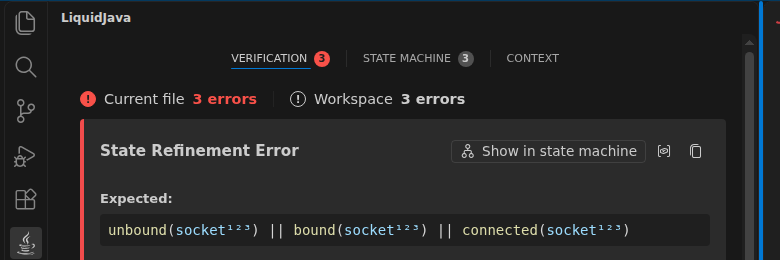
- **Actions on the title line.** **Show in state machine** now sits on
the line of the error title, before the View related context and copy
icons. When the side bar is too narrow, the actions wrap below the
title, aligned right. Warnings get the same title line for their copy
icon.
- **Hints start closed.** A hint is a `Hint` section the user can open.
A hint the user opens stays open after a new verification, so editing
the code does not close it. Hints are matched across verifications by
the diagnostic's position, the same key the state errors already use,
now shared as `getDiagnosticKey`.

## Screenshots
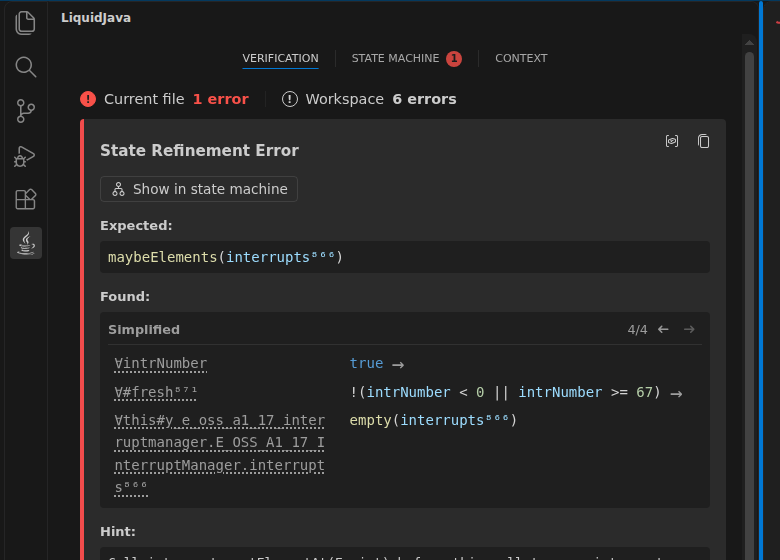
`E_OSS_A1_17_InterruptManager` from the C-stars proposal in
building-examples-liquidjava.

**Before**

<img width="560" alt="Error card with Show in state machine below the
title and the hint open"
src="https://raw.githubusercontent.com/liquid-java/vscode-liquidjava/pr-screenshots/error-card/before.png"
/>

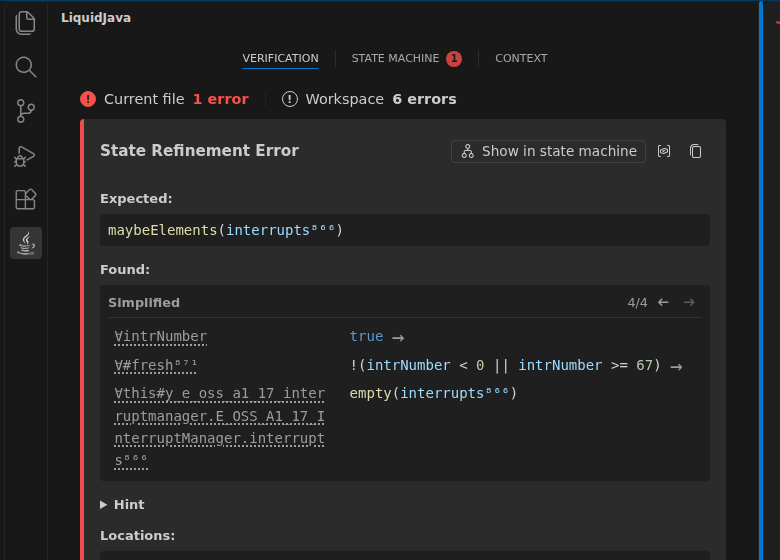
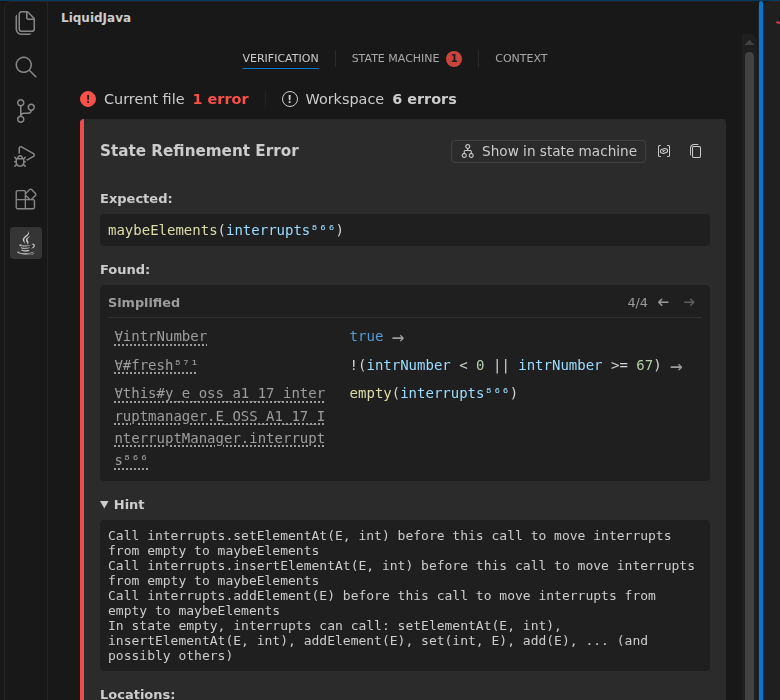
**After**, with the hint closed and then opened.

<img width="560" alt="Error card with Show in state machine on the title
line and a closed hint"
src="https://raw.githubusercontent.com/liquid-java/vscode-liquidjava/pr-screenshots/error-card/after-closed.png"
/> <img width="560" alt="Error card with the hint opened"
src="https://raw.githubusercontent.com/liquid-java/vscode-liquidjava/pr-screenshots/error-card/after-open.png"
/>

**A narrow side bar**: the actions wrap below the title.

<img width="360" alt="Narrow side bar with the actions below the title"
src="https://raw.githubusercontent.com/liquid-java/vscode-liquidjava/pr-screenshots/error-card/after-narrow.png"
/>

## Tests
- `npm run lint` and `npm run test:typecheck`: clean.
- `npm run test:unit`: 95 passed. In `script.spec.ts`, the state machine
button test now checks that it is the first action on the title line,
and a new test checks that hints start closed and stay open or closed
after a new verification.
- `npm test` (VS Code): 9 + 1 passing. Server `mvn test` and the local
smoke test: passed.

🤖 Generated with [Claude Code](https://claude.com/claude-code)

Co-authored-by: Claude Opus 5.5 <noreply@anthropic.com>
The server sends each hint with its kind instead of one joined string. When
the verifier suggests several call sequences, the view lists them as
alternatives under Any one of these, apart from the hints that explain the
error.

Co-Authored-By: Claude Opus 5.5 <noreply@anthropic.com>

CatarinaGamboa
added a commit
that referenced
this pull request
Oct 26, 2026

Closes #115. Uses liquidjava-fsm 0.2.1 (liquid-java/liquidjava-fsm#13). ## Why A class with several `@StateSet`s, like `ImageWriteParam` with its tiling and compression states, was drawn as one diagram of the first state set. Every compression method ended up on the tiling diagram, and a compression error was marked on a tiling state: `setCompressionQuality()` in `startCompression` showed `startTiling` as rejected. ## What - **Server:** `liquidjava/fsm` and `StateRefinementErrorDTO` now return one `StateMachineDTO` per state set (`stateMachines`, with a `stateSet` index), using `StateMachineParser.parseAll` from fsm 0.2.1. - The error context goes only on the diagrams whose transitions include the called method, and each one uses its own state set's part of the verifier's states. - A state is marked rejected only if no accepted state includes it, so a call that is rejected because of another state set doesn't blame this one. With one state set this gives the same marks as before. - **View:** the diagrams are stacked, each titled with its states. The diagram with the error comes first, and **Focus on error** dims the others. The summary combines the state sets the call involves. **Copy Mermaid Source** copies every diagram. - A class with one state set looks exactly as before. - The walkthrough mentions the per-state-set diagrams. Arrows between state sets are left for later. A method that needs a state of the other state set keeps it as a condition, e.g. `[compressionSet(this)]`. ## Screenshots Expert `ImageWriteParam` spec, in headless VS Code. **Tiling error:** the tiling diagram comes first. 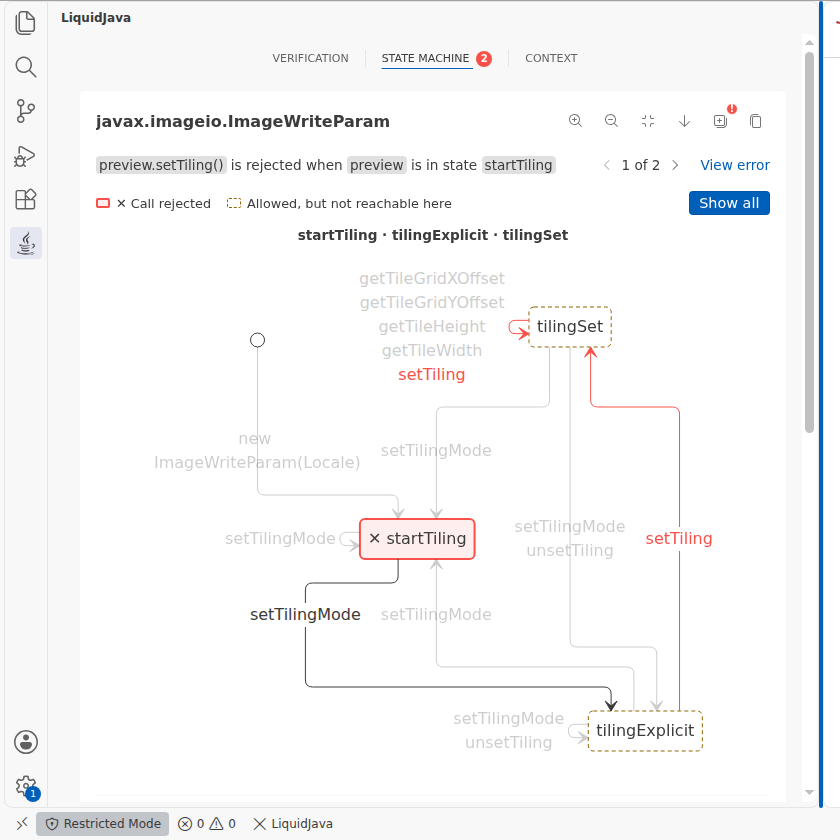 **Focus on error:** the compression diagram below it is dimmed. 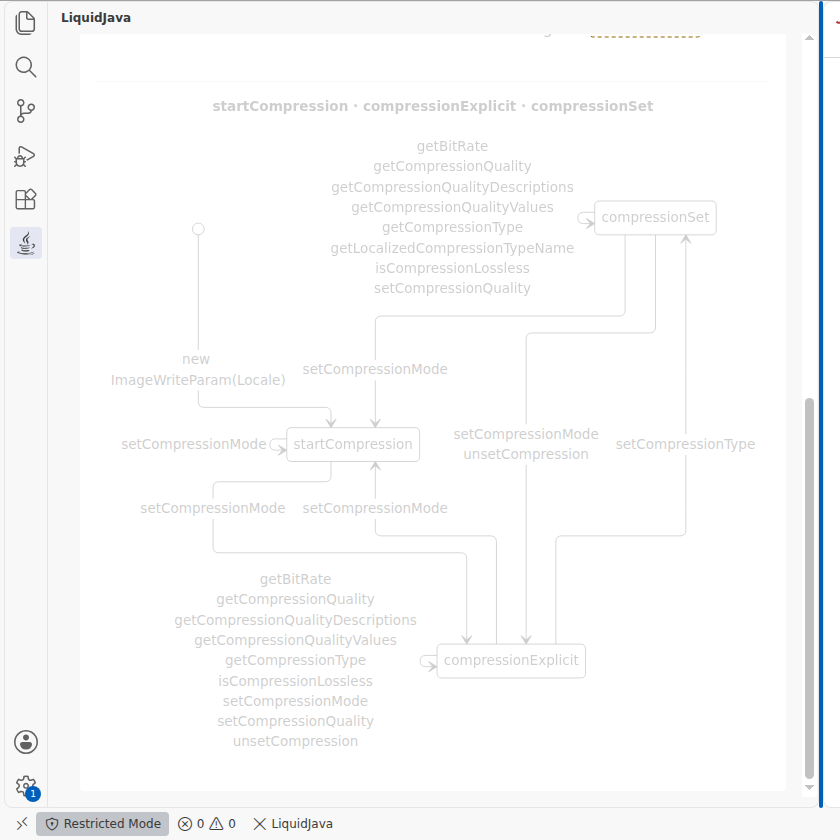 **Compression error, before and after:** before, it was drawn on the tiling diagram with `startTiling` marked rejected. Now it is on the compression diagram. | Before | After | |---|---| | 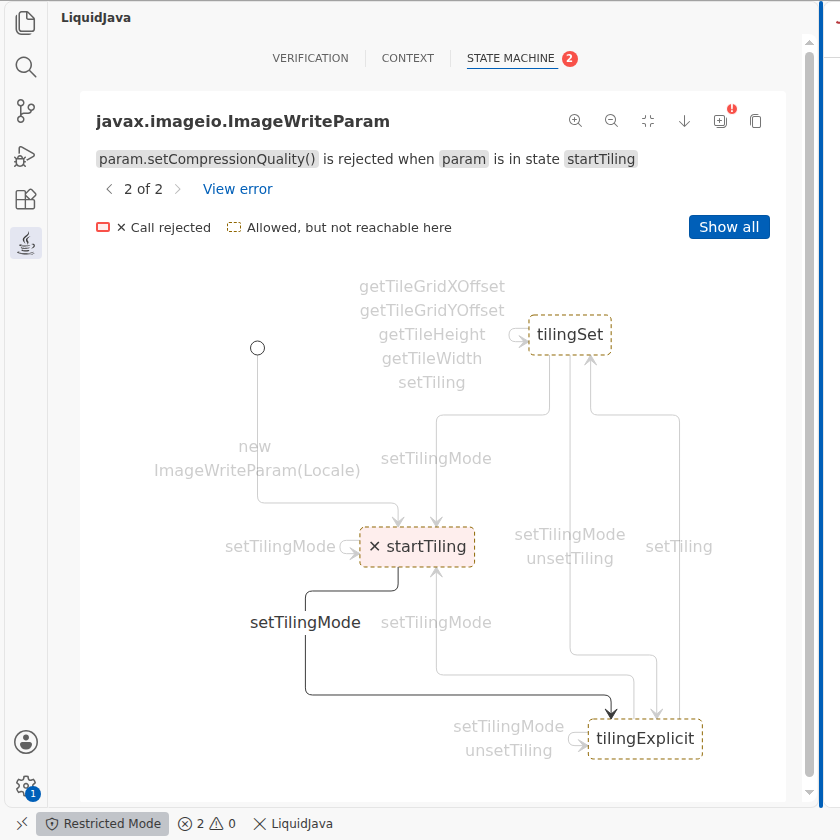 | 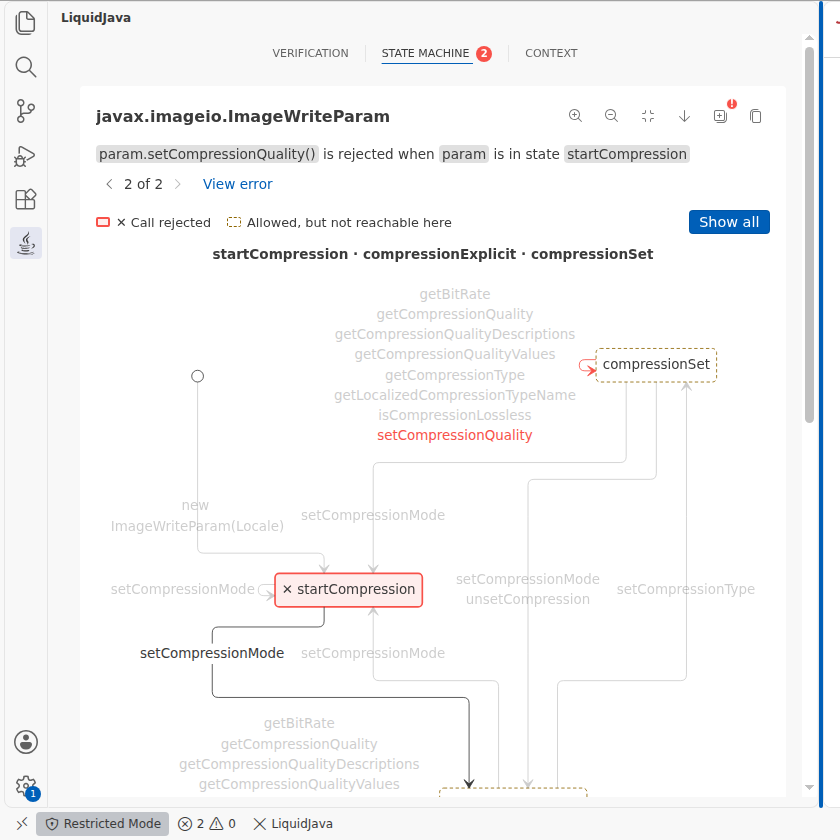 | **Show all:** 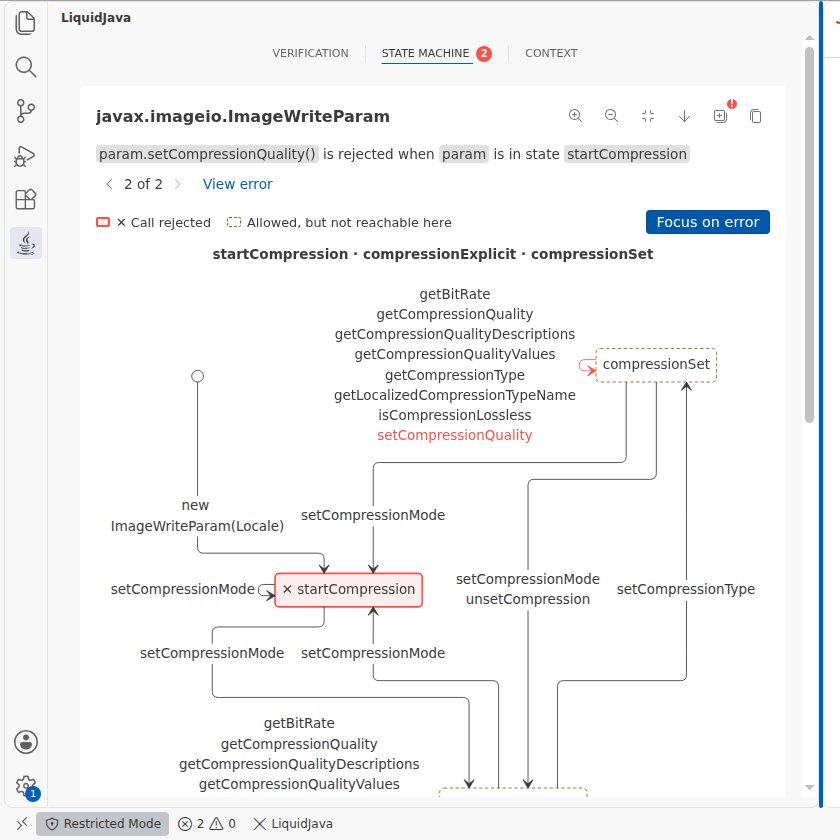 ## Tests - Server: `StateMachineDTOTest` (new) and `StateErrorContextDTOTest` cover per-state-set marking and not blaming another state set. 34 tests pass. - Client: new specs for stacking, dimming, ordering and copying several diagrams, and for an error that cannot be marked (#161) on a class with several state sets. 105 unit tests pass, typecheck and lint are clean. - Integration (`vscode-test`): all 10 tests pass. Rebased on main after #165. The screenshots are from the build after #161. 🤖 Generated with [Claude Code](https://claude.com/claude-code) --------- Co-authored-by: Claude Opus 5.5 <noreply@anthropic.com>
CatarinaGamboa
added a commit
that referenced
this pull request
Oct 26, 2026
…rification (#166)

## Description
Built on #165, so until #165 is merged this PR also shows its two
commits; only the last commit is new. It targets main so it cannot be
stranded on the #165 branch.

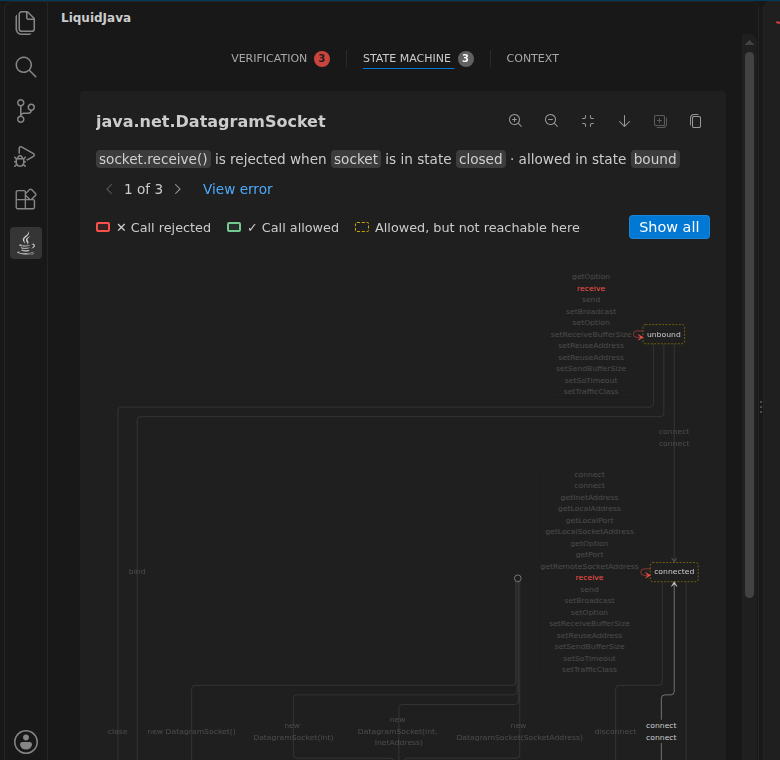
- **Dimmed parts in light themes.** Dimmed states, transitions, and
methods had `opacity: 0.25`, which on white left the method names barely
readable. The opacity is now `--lj-dimmed-opacity`: `0.25` as before,
and `0.5` in light themes. Dark themes are unchanged.
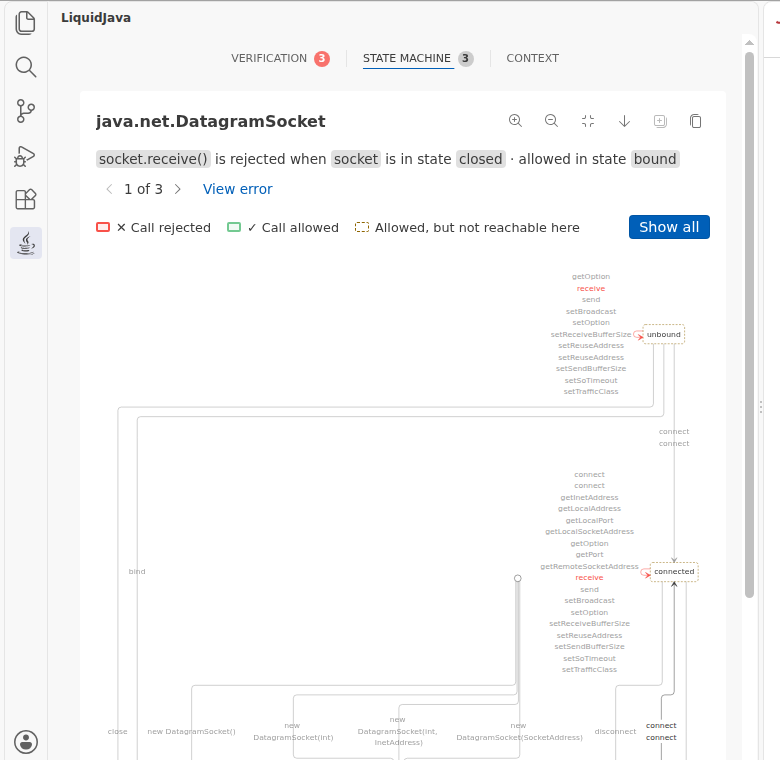
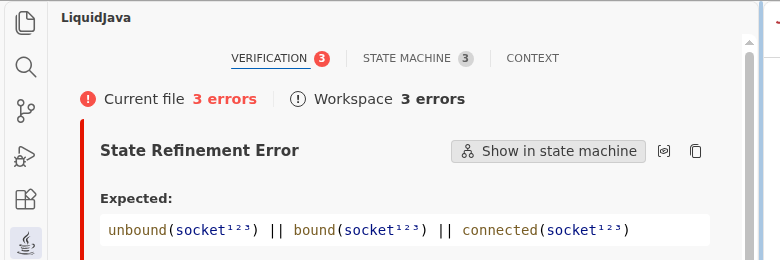
- **Error count on Verification.** The Verification tab shows the number
of errors in the current file, the same number as **Current file** in
its header, in the red badge. So that the two badges do not compete, the
State Machine badge now uses VS Code's neutral badge colour: its state
errors are already among the errors counted on Verification. Both counts
stay up to date while the State Machine tab is open.

## Screenshots
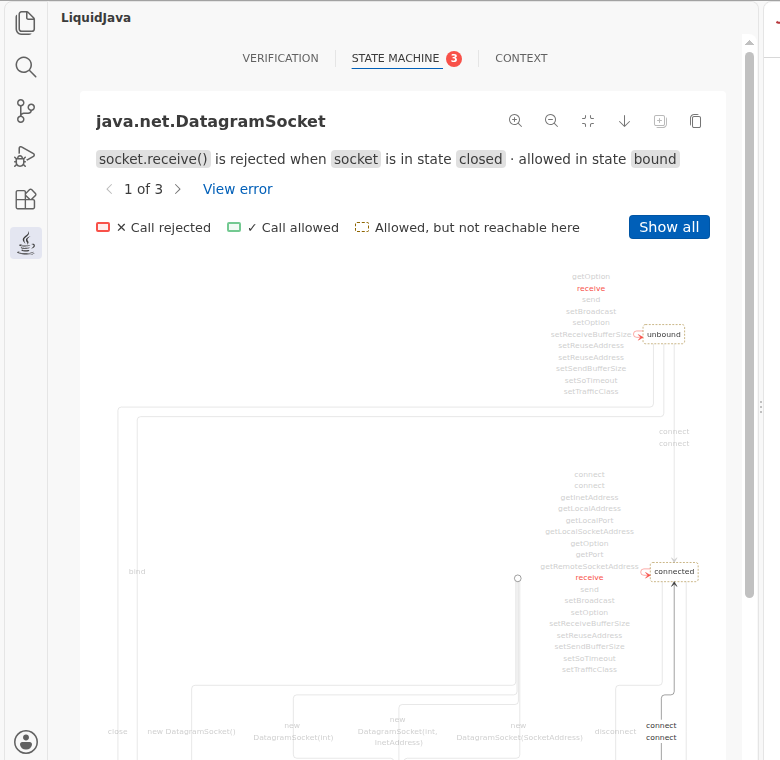
The UDP chat client with three state errors (`receive` after a possible
close, `bind` on a bound socket, `connect` after `close`), so both
badges show.

**Light theme, before and after**

<img width="560" alt="Light theme before: dimmed methods barely
readable"
src="https://raw.githubusercontent.com/liquid-java/vscode-liquidjava/pr-screenshots/light-dim-badge/before-light-state-machine.png"
/> <img width="560" alt="Light theme after: dimmed methods readable,
Verification badge red and State Machine badge neutral"
src="https://raw.githubusercontent.com/liquid-java/vscode-liquidjava/pr-screenshots/light-dim-badge/after-light-state-machine.png"
/>

**The badges, light and dark**

<img width="560" alt="Light theme Verification tab with both badges"
src="https://raw.githubusercontent.com/liquid-java/vscode-liquidjava/pr-screenshots/light-dim-badge/after-light-verification.png"
/>
<img width="560" alt="Dark theme Verification tab with both badges"
src="https://raw.githubusercontent.com/liquid-java/vscode-liquidjava/pr-screenshots/light-dim-badge/after-dark-verification.png"
/>

**Dark theme, after** (the dimming is unchanged)

<img width="560" alt="Dark theme state machine"
src="https://raw.githubusercontent.com/liquid-java/vscode-liquidjava/pr-screenshots/light-dim-badge/after-dark-state-machine.png"
/>

## Tests
- `npm run lint` and `npm run test:typecheck`: clean.
- `npm run test:unit`: 99 passed. New tests:
- `script.spec.ts`: the Verification badge counts the current file's
errors in red, the State Machine badge is neutral, and both update on
the State Machine tab and disappear when the errors are fixed;
- `styles.spec.ts`: the dimmed opacity is `0.25`, and `0.5` in light
themes.
- `npm test` (VS Code): 9 + 1 passing. Server `mvn test` and the local
smoke test: passed.

🤖 Generated with [Claude Code](https://claude.com/claude-code)

Co-authored-by: Claude Opus 5.5 <noreply@anthropic.com>
This file contains hidden or bidirectional Unicode text that may be interpreted or compiled differently than what appears below. To review, open the file in an editor that reveals hidden Unicode characters.
Learn more about bidirectional Unicode characters
Sign up for free
to join this conversation on GitHub.
Already have an account?
Sign in to comment






Add this suggestion to a batch that can be applied as a single commit.This suggestion is invalid because no changes were made to the code.Suggestions cannot be applied while the pull request is closed.Suggestions cannot be applied while viewing a subset of changes.Only one suggestion per line can be applied in a batch.Add this suggestion to a batch that can be applied as a single commit.Applying suggestions on deleted lines is not supported.You must change the existing code in this line in order to create a valid suggestion.Outdated suggestions cannot be applied.This suggestion has been applied or marked resolved.Suggestions cannot be applied from pending reviews.Suggestions cannot be applied on multi-line comments.Suggestions cannot be applied while the pull request is queued to merge.Suggestion cannot be applied right now. Please check back later.
Description
Replaces #164, which was merged into the #161 branch after #161 had been merged into main, so it never reached main. The first commit is #164 unchanged; the second separates the hints.
Error title line (from #164). Show in state machine sits on the line of the error title, before the View related context and copy icons. When the side bar is too narrow, the actions wrap below the title, aligned right. Warnings get the same title line for their copy icon.
Hints start closed (from #164). The hints are a
Hint/Hintssection the user can open. Hints the user opens stay open after a new verification, so editing does not close them.Separate hints. The verifier reports a list of hints, each with a kind, but the server joined them into one string, so several suggested call sequences read as if all of them had to be applied.
hintsis now a list of{ kind, message }, fromLJDiagnostic#getHints(), replacing the joinedhintstring. The kind is the verifier'sHint.Kindin kebab case, e.g.call-sequence.call-sequencehints are listed as bullets under Any one of these:. Every other hint, such as the calls available in the current state, is its own paragraph, separated by a line. A single call sequence is shown as a plain hint.Screenshots
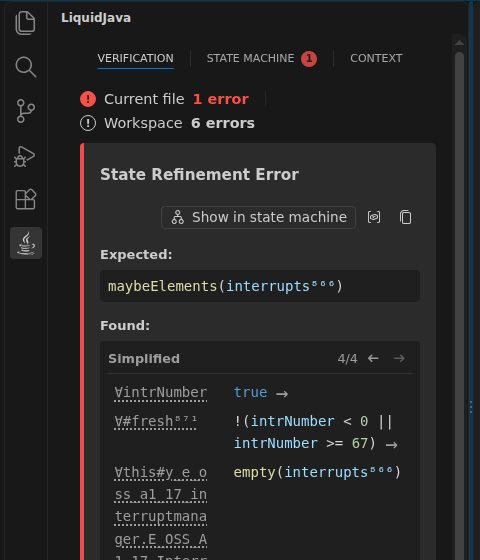
E_OSS_A1_17_InterruptManagerfrom the C-stars proposal in building-examples-liquidjava, where the verifier suggests three call sequences and lists the available calls.Before: the action below the title, and the three call sequences and the available calls run together.
After: the actions on the title line, the hints closed and then opened.
A narrow side bar: the actions wrap below the title.
Tests
mvn test: 28 passing. NewDiagnosticConverterTesttest: each hint keeps its kind and message, in order.npm run lintandnpm run test:typecheck: clean.npm run test:unit: 97 passed. New tests inscript.spec.ts:npm test(VS Code): 9 + 1 passing. Local smoke test: passed.After the full run I only changed the CSS of the option list (bullets and spacing). Unit tests and lint were re-run after it.
🤖 Generated with Claude Code